
The payer portal is down: an evidence-first contingency for behavioral-health teams
Preserve attempted-submission evidence, verify an approved alternate channel, assign an outage owner, and reconcile the queue when the payer portal returns.
Direct answer
Payer portal outage prior authorization: what operators need to know
Preserve attempted-submission evidence, verify an approved alternate channel, assign an outage owner, and reconcile the queue when the payer portal returns. Attempted, transmitted, acknowledged, and decided are different states. An outage does not automatically extend a deadline. Verify alternate channels for the exact request and payer arrangement.
20 minutes · Your payers and levels of care · No patient information needed
See the workflow: Prior-authorization workflow.
On this page: Direct answer
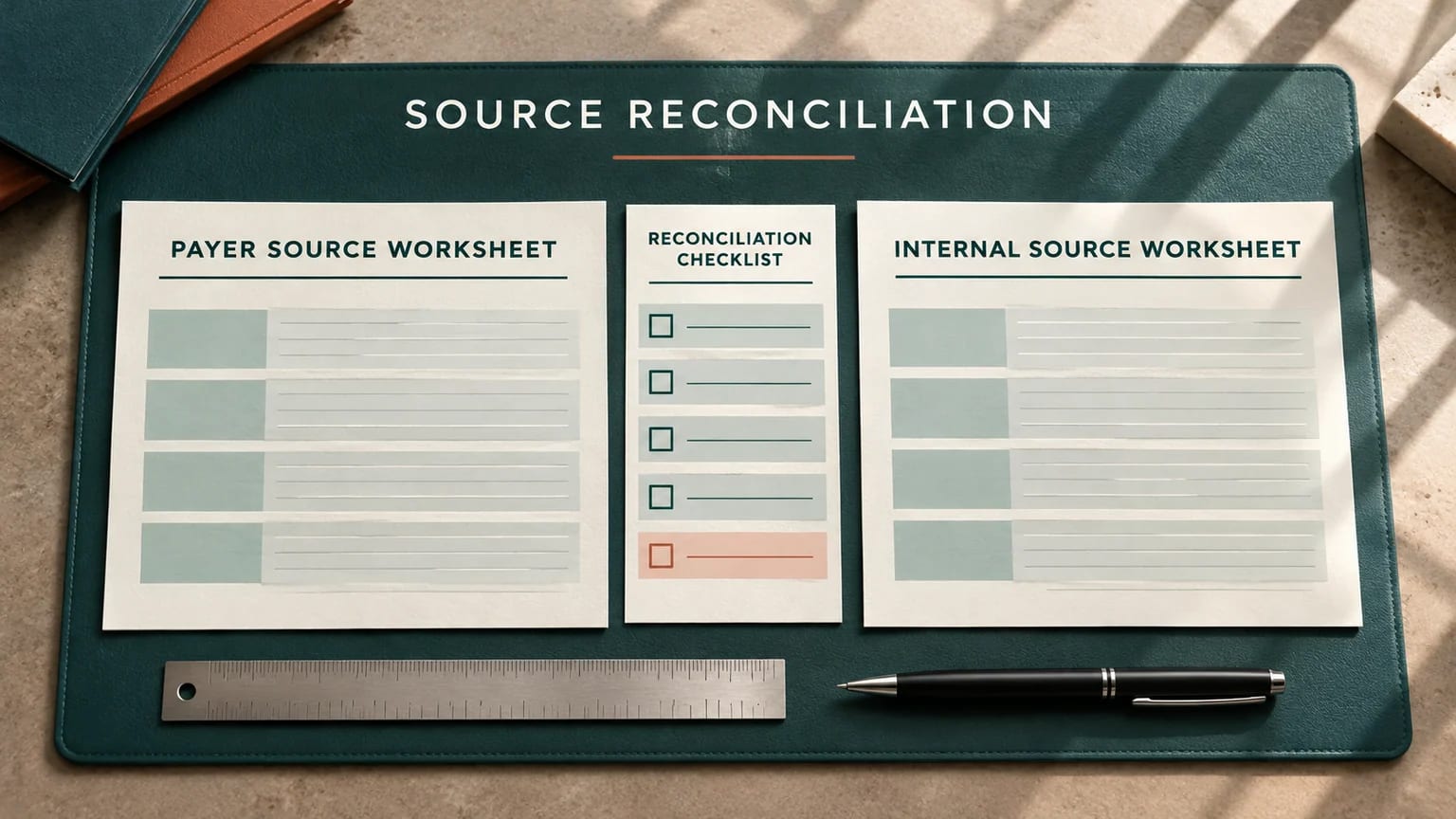
When a payer portal fails, preserve evidence of the attempt, identify the work affected, and verify the applicable payer's approved contingency route. Do not assume that an outage suspends a deadline or that a screenshot proves a request was received. Give each affected case an owner, a next action, and a follow-up point. When service returns, reconcile acknowledgments before resubmitting so attempted work does not become duplicate work.
This article is for an operations lead managing authorization, information-response, or appeal work during a portal disruption. It does not establish a universal downtime policy, filing exception, clinical decision, or extension. The examples and thresholds are fictional. Actual channels, deadlines, urgency criteria, privacy requirements, and exceptions must be checked against the applicable arrangement and your organization's approved procedures.
Key takeaways
The short version
- Attempted, transmitted, acknowledged, and decided are different states.
- An outage does not automatically extend a deadline.
- Verify alternate channels for the exact request and payer arrangement.
- Retain evidence in approved systems, not public screenshots or tools.
- Reconcile receipts after restoration before creating a second submission.
Take the template with you
Free to copy · no email required
Portal outage control log
A process-level register with synthetic example values. Keep actual case evidence in approved systems.
Incident reference,Portal,Observed time and zone,Error category,Affected workflow,External deadline verified,Owner,Approved alternate route,Attempt evidence reference,Acknowledgment state,Next check,Closure evidence
DEMO-OUTAGE,Fictional payer portal,Record time and zone,Upload failed,Renewal,Unconfirmed,Operations lead,Verify payer guidance,Secure internal reference,Not acknowledged,Set next check,Receipt reconciled
Saves as payer-portal-outage-control-log.csv
Try the workflow · fictional demo case
A failed upload is not a received request
A fictional renewal upload fails near an internal preparation target. The team has a screenshot but no payer receipt.
Select a check to reveal the finding and next action. Nothing is sent to a payer.
0 of 3 checks reviewed. A named person still approves the next action.
This fictional example illustrates an offered Marsa workflow. We do not connect this public example to a payer or present it as a customer result. We measure demo starts and completions using fixed labels; no input text is collected.
Explore authorization, appeals, benefits, claims, audit, and coordination automations1. Stabilize the work before troubleshooting the browser
The first question is which decision the disruption puts at risk. An authorization renewal, a response to a missing-information request, and an appeal may have different instructions, channels, and deadlines. Identify the affected workflow and the next externally relevant event. Keep internal preparation targets separate from payer deadlines. If the deadline has not been verified, assign that verification immediately rather than filling the gap with a familiar rule from another payer.
Name an outage coordinator for the operating incident and an owner for each affected case. The coordinator gathers common information, such as a service notice or approved alternate route, so every staff member does not repeat the same support call. Case owners still verify their own acknowledgment state and next action. One incident can affect many cases differently; the outage label should not erase the individual facts needed to move each case forward.
Avoid a broad message that says everyone stop or everyone fax without scope. A useful internal notice states the affected portal function, observed time and time zone, workflows potentially affected, current verified guidance, and next update point. It distinguishes a confirmed service notice from a local observation. A failed upload on one workstation is evidence of a failure there, not proof that every payer function or every user's access is unavailable.
2. Preserve the attempt without creating a privacy problem
Record the time, time zone, action attempted, error category, and the relevant internal evidence reference. Where your approved process permits screenshots, retain them in the organization's secure system and inspect what they contain. Browser tabs, account menus, member details, filenames, and background windows can expose information beyond the error message. Do not copy that evidence into a public website demo, a general collaboration channel, or an unapproved support tool.
Keep the evidence precise. Upload failed after selecting submit is different from unable to sign in. A timeout before transmission is different from an error after a receipt appeared. Note whether a receipt, transaction reference, or case number was shown, even if the final screen did not load. Those details may help the owner determine whether the payer received the request and prevent a duplicate submission when the portal becomes available.
Preserve what the evidence actually shows. Do not annotate a screenshot to imply receipt, alter a timestamp, or describe a local error as a payer-confirmed outage. If the team later learns that the issue was a local connection or access problem, add that finding to the incident record. An accurate history can support a later inquiry; an exaggerated outage claim can make a legitimate request harder to evaluate.
3. Distinguish a local failure from a payer service incident
Use the organization's approved troubleshooting sequence. Check whether the problem affects sign-in, a particular upload, a request type, or the whole service. Consult a verified service-status notice or payer support channel where available. Do not repeatedly transmit the same clinical packet simply to test whether the system has recovered. A harmless synthetic or non-transmitting check is preferable when your process supports it.
Keep troubleshooting within authorized access. An outage does not justify sharing credentials, disabling security controls, using a colleague's account, or sending records through personal email. If access has expired or a role lacks permission, route that through your normal administrator. A technical problem and a deadline problem may need parallel owners, but urgency does not make an unapproved channel safe or establish that the payer will accept it.
Record the scope as it becomes known. For example, the fictional incident may affect document upload while status lookup remains available. That distinction changes the restoration check: the owner can inspect existing acknowledgments without creating a new request. Update the common incident note when reliable information changes, and retain the earlier observation rather than making the record appear as though the team knew the scope from the beginning.
4. Verify an alternate route for the exact work
A saved phone number or fax destination is not enough. Confirm that the alternate route applies to the payer arrangement, product, service, request type, and circumstances in front of the team. An appeal destination may differ from an authorization destination. A general customer-service channel may answer questions without accepting a formal submission. Record the source, checked date, and any reference for the guidance you receive.
Ask the question in a way the representative can answer: the portal upload failed for this request type; which approved alternate channel accepts it, what establishes receipt, and what further follow-up is required? Also ask whether there is specific downtime guidance relevant to the deadline. Do not treat a representative's general reassurance as a documented extension. If written instructions and a verbal response conflict, preserve the conflict and escalate through your organization's approved process.
Prepare a channel-specific checklist before transmission. Confirm the destination, required cover information, packet completeness, acknowledgment method, and who will check the result. Use only the minimum information necessary through approved systems. A contingency channel should retain the same human-review boundary as the normal workflow: a named person approves the factual content, evidence set, and intended recipient before anything goes to the payer.
5. Keep the deadline and urgency questions explicit
An outage does not automatically pause a filing or response clock. The applicable contract, plan instructions, legal requirements, and any specific downtime notice determine the relevant process. The operations record should show the verified deadline, its source, the time zone if material, and any unresolved interpretation. An internal target can provide working margin, but it must not be presented as an external entitlement or a payer promise.
Do not invent urgency to gain access to a faster channel. Clinical urgency and expedited-review criteria require the appropriate authorized judgment under the applicable process. If the disruption may affect continuity of care or another time-sensitive decision, escalate to the designated clinical and operational leaders. The coordinator can make the evidence and open questions visible without making a clinical determination or promising a coverage outcome.
CMS's prior-authorization requirements are scoped to specified impacted payers and have phased implementation dates. They should not be copied into a universal outage playbook for every commercial product or service. Use the relevant primary guidance as context, then verify the arrangement-specific process. The control you need is a sourced rule and a named reviewer who can approve the next action, including when a qualified legal or compliance review is necessary.
6. Build an outage queue with useful states
Use states that distinguish prepared, attempted, transmitted, acknowledged, awaiting response, and resolved. Define what evidence permits each transition. A prepared packet may have passed internal review but never left the organization. A transmitted packet may still lack confirmation that it reached the intended destination. Acknowledged means the team has evidence of receipt under the applicable process; it does not mean the request was approved or the eventual claim will be paid.
For each affected case, retain the incident reference, owner, current state, external deadline status, evidence location, alternate-route decision, and next check. The common incident reference lets the coordinator report the outage without duplicating all technical notes on every row. The case record still carries its own receipt and decision history. This keeps the incident manageable without collapsing separate submissions into one vague waiting-on-portal bucket.
Set the next check according to the actual work and your approved operating process. An example's thirty-minute review interval is not a recommendation for every case. What matters is that somebody owns the check and knows what result changes the action. If the owner goes off shift, require an accepted handoff with the unresolved questions. A message sent to a group is not proof that a particular person has taken responsibility.
7. Reconcile before resubmitting
When the portal returns, start with the acknowledgment and case history. Some errors occur after transmission or while the final screen is loading. If the original request appears with a receipt, compare it with the intended submission before sending another packet. Check that the relevant attachments and request details are present under the organization's approved review process. A restored login screen alone does not establish that the earlier request succeeded.
If there is no acknowledgment, the owner follows the verified route for checking receipt or resubmitting. Record why the next action is appropriate and retain the earlier attempt evidence. If a second transmission is necessary, connect it to the original attempt in the internal timeline. That relationship helps the team explain later duplicate notices, conflicting statuses, or requests for information without reconstructing the sequence from separate email threads.
Reconcile any alternate-channel submission as well. A fax confirmation or phone reference may require further verification under the applicable process. Do not assume the portal will automatically reflect work sent elsewhere. The case remains open until the owner can explain the acknowledgment state and next expected event. A named reviewer should resolve conflicting evidence rather than letting the most recently updated screen overwrite the rest of the record.
8. Follow the response, not just the transmission
A contingency succeeds when the request reaches the right process and the team maintains a reliable next action. Transmission alone is an intermediate event. Track the expected response, any request for more information, the decision, and the dependent handoff. If the payer says the submission was not received, the retained attempt and transmission evidence can support a specific inquiry. They do not automatically prove that a filing exception applies.
For a missing-information request, record exactly what remains outstanding and which owner can supply it. For a decision, check that the result applies to the intended service and arrangement. For a denial or adverse determination, review the applicable instructions and deadline with the authorized reviewer. The outage history may be relevant context, but the response should address the actual stated reason rather than repeating that the portal was down.
Close the operating incident only after affected cases have been reconciled or assigned explicit follow-up outside the incident. A service-restored notice is a technical milestone, not evidence that every interrupted request is complete. The incident summary should state how many cases were affected, how many have confirmed acknowledgment, how many remain unresolved, and who owns them. Use real counts and denominators rather than an unsupported statement that everything is back to normal.
9. Improve the contingency after the queue is stable
Run a short review using the actual operating record. Which requests had a verified alternate route before the outage? Which cases lacked an external deadline source? How many attempts had sufficient evidence to reconstruct the sequence? Which handoffs needed the original owner's memory? These questions identify controls the team can improve. Avoid turning the review into a search for someone to blame for a payer's technical failure.
Update the payer matrix with verified routes and checked dates, and test the changes using synthetic examples. A rehearsal can include an upload error after a receipt appears, an unverified saved destination, and an owner leaving mid-incident. Ask the backup to explain the state and next action. The exercise should test whether the written process is sufficient, not whether the backup can guess what the coordinator intended.
Include the packet version in the internal handoff. If staff revise an attachment during the outage, the reviewer must know which version was approved and which version was transmitted. A receipt for an earlier packet does not establish that a later revision reached the payer.
Marsa Health's case model is designed to make ownership, readiness checks, evidence, next action, and timeline visible, with named human approval before payer submission. The free outage log and fixed demo on this page illustrate that approach without accepting patient information or connecting to a payer. You can use them independently. For a review of your tracker structure, share headers and process descriptions only, keeping all working case evidence in your approved systems.
Common questions
Answers before you build.
Does a portal outage extend an appeal or authorization deadline?
Do not assume an extension. Verify the applicable requirements and any specific downtime guidance, retain evidence, and escalate unresolved deadline questions through your approved process.
Is a screenshot proof that the payer received the request?
A screenshot may document an attempt or error. Receipt depends on the evidence and acknowledgment required by the applicable process.
Should we resubmit everything when the portal returns?
Reconcile acknowledgments first. Some requests may have been received despite a final-screen error; the appropriate next action depends on the actual case history.
Practical closeout
Use this operator checklist.
- Attempted, transmitted, acknowledged, and decided are different states.
- An outage does not automatically extend a deadline.
- Verify alternate channels for the exact request and payer arrangement.
- Retain evidence in approved systems, not public screenshots or tools.
- Reconcile receipts after restoration before creating a second submission.
Continue through the cluster
Verified customer case studies are added only with customer permission and supporting evidence; none is implied by these operational examples.
Sources & methodology
Trace the operational claims.
Marsa Health Editorial reviewed the primary and research sources below on November 4, 2026. We translate them into workflow controls, distinguish proposals from final rules, and flag where plan, program, state, contract, or clinical requirements vary.
- 01Reduce claim returns and rework UnitedHealthcarePayer-specific background on submission and rework. Verify current product-specific instructions; this does not establish a universal downtime exception.Accessed or rechecked November 4, 2026
- 02Improving prior authorization processes: frequently asked questions CMSPrimary guidance on scoped prior-authorization process requirements. The outage workflow and fictional example are Marsa editorial recommendations.Accessed or rechecked November 4, 2026
- 03CMS Interoperability and Prior Authorization Final Rule CMS-0057-F Centers for Medicare & Medicaid ServicesCurrent implementation dates, decision timeframes, denial-reason requirements, metrics, and API provisions for impacted payers.Accessed or rechecked November 4, 2026
- 04Electronic Prior Authorization Centers for Medicare & Medicaid ServicesCurrent CMS provider-readiness guidance for 2027 electronic prior authorization, EHR questions, FHIR testing, and workflow preparation.Accessed or rechecked November 4, 2026
- 05Minimum Necessary Requirement U.S. Department of Health and Human ServicesHIPAA guidance on limiting uses, disclosures, and requests for protected health information when the standard applies.Accessed or rechecked November 4, 2026
Organizational author. Editorial review covers source accuracy, search intent, workflow boundaries, and human-oversight requirements. This material is educational and does not provide clinical, legal, coding, or coverage advice.
No named clinical or legal expert reviewer is attributed to this version. Marsa Health does not invent reviewer credentials.
Read our editorial methodRevision history
What changed and when
November 4, 2026
Initial publication, source review, and operational editing.